Don’t describe it.
Draw it.
A pen for your whole Mac. Hit ⌥⇧D, draw on the live screen, press Enter — your ink lands in whatever app you’re working in.
First 30 drawings free · $19.99 once, yours for life · No account, no cloud · 830 KB download
We don’t make pens
We make your pen talk to your AI.
Wispr Flow turned your voice into an input for every app. Stylo does the same for your hands: the tablet you already own — or just your trackpad — becomes the way you show AI exactly what you mean. No new hardware. Just software that finally connects what you have to what you use.
Hotkey → Draw → Enter.
Stylo lives in your menu bar and stays out of the way until you reach for the pen.
Press the hotkey
⌥⇧D lays glass over your live screen — every screen, if you run more than one. ⌥⇧R freezes and drag-selects a region; B gives you a blank page.
Draw on anything
Adobe comps, PDFs, websites, AI generations — circle it, cross it out, write on it. Real pressure from your tablet, pen and marker and text labels.
Press Enter
Your drawing is pasted into the app you were working in — a Claude chat, Slack, Figma, an email — and archived to Pictures/Stylo. Done.
A drawing is worth a thousand prompts.
“Move it a bit left” is not feedback. Circle the wrong hand. Cross out the extra lamp. Arrow where the light should come from. Paste it back into the chat — the model gets it the first time, no paragraph required.
Region select
Drag a box after the hotkey — annotate just the frame that matters and paste only that, at full resolution.
Text labels
Hit T and type — or dictate — a note right on the image. Captions land exactly where you point.
Shape snap
Hold still at the end of a stroke and a wobbly circle becomes a circle. Your redlines stay legible.
Pencil-class ink, anywhere on screen.
Most annotation tools draw lines. Stylo draws strokes.
- Pressure-true width — a gamma-curved response to your tablet’s pressure, tuned against Apple Pencil behavior.
- Velocity-aware — fast strokes thin out, slow strokes sit heavy, tails taper like they left a real nib.
- Ribbon geometry — every stroke is one smooth, continuous ribbon (Catmull-Rom, for the curious), not a chain of dots. Zoom in; it holds up.
- Wacom-native — flip your pen and it erases. Map an ExpressKey to the hotkey and never touch the keyboard.
- iPad-native — pair your iPad with Sidecar and Apple Pencil becomes a Stylo pen: full pressure and tilt, glass right on the iPad screen.
- Light and fast — under a megabyte, launches with your Mac, and never phones home.
Live — same engine as the sheet above. Draw here too.
Your Wacom finally talks to every AI.
That tablet on your desk was built for exactly this — and until now it only worked inside art apps.
 Claude
 Gemini
 Figma
Figma Notion
 Discord Claude Gemini Figma Notion Discord
…and any app that takes a paste
Wacom · Apple Pencil via Sidecar · any tablet your Mac can see — drawn here by the engine
Some things can’t be typed.
An arrow. A crop. The exact curve you mean. The difference between “make it warmer” and pointing at the one corner that’s cold. Voice gave every app your words — Wispr proved that. Stylo is the same idea for your hands.
Made by people who draw. Stylo trains nothing, uploads nothing, and works when your Wi-Fi doesn’t.

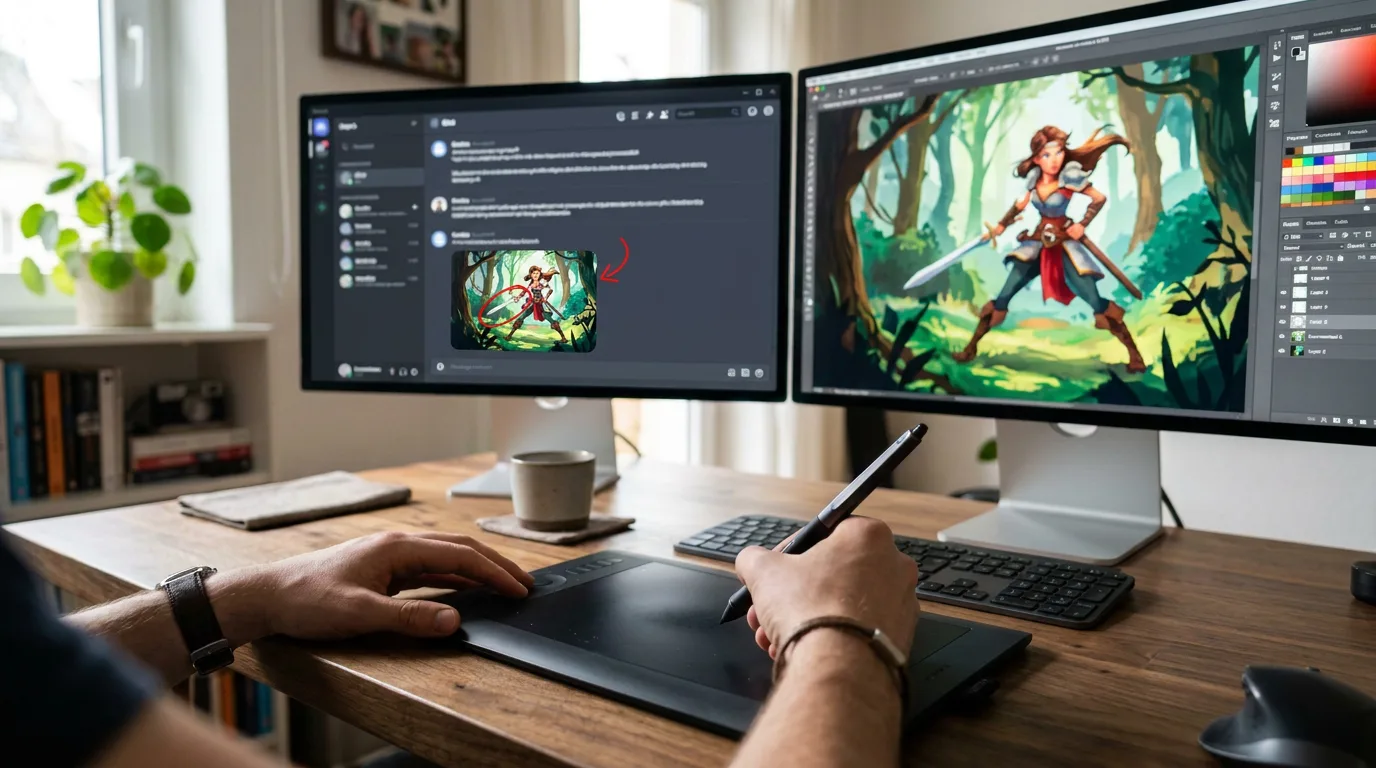
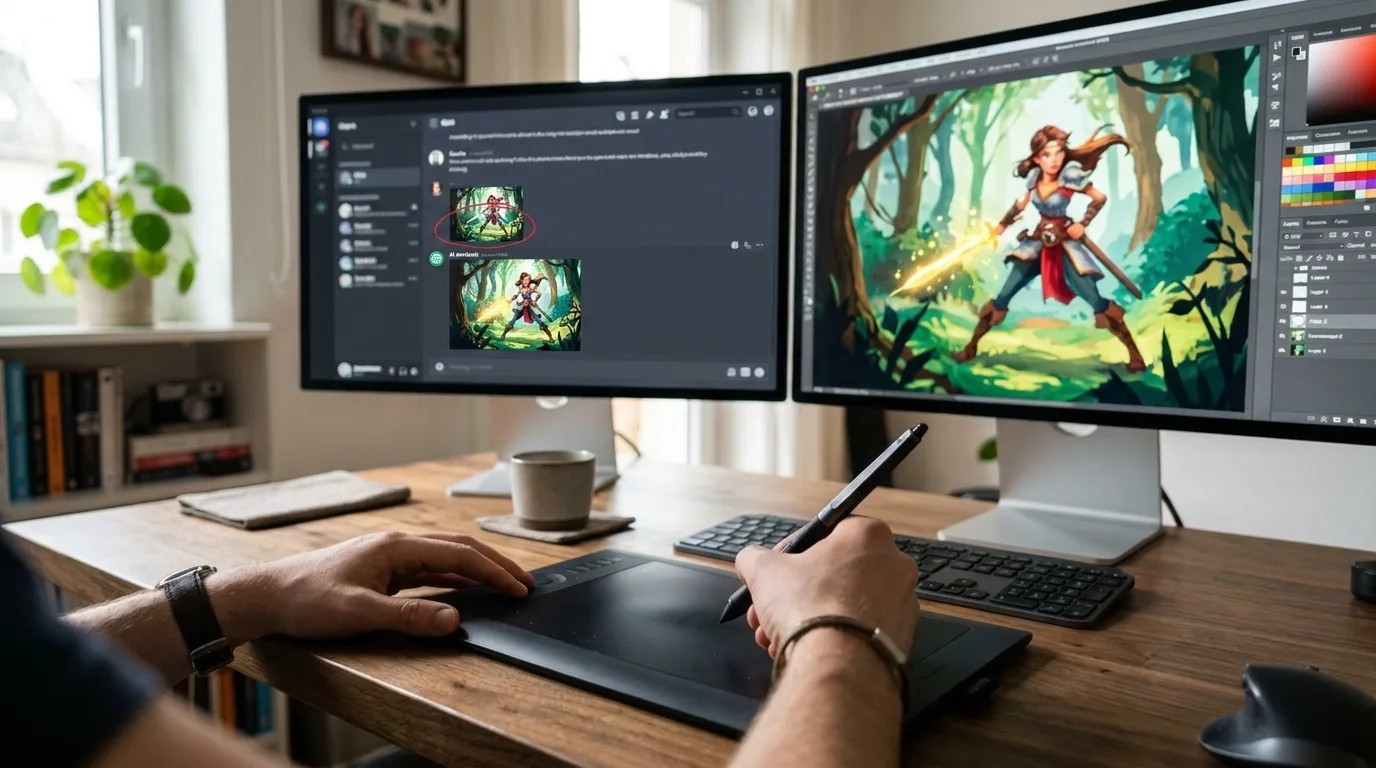
Drawn on the art screen, sent to the chat screen — Stylo delivers to the app you were working in, even when it lives on another monitor.
A tool that works how you work — any screen, any app, your pen.
For everyone who draws
Your pen already has a job.
Whatever your field calls the marks — redlines, markups, notations, wireframes — Stylo puts them in front of your AI.
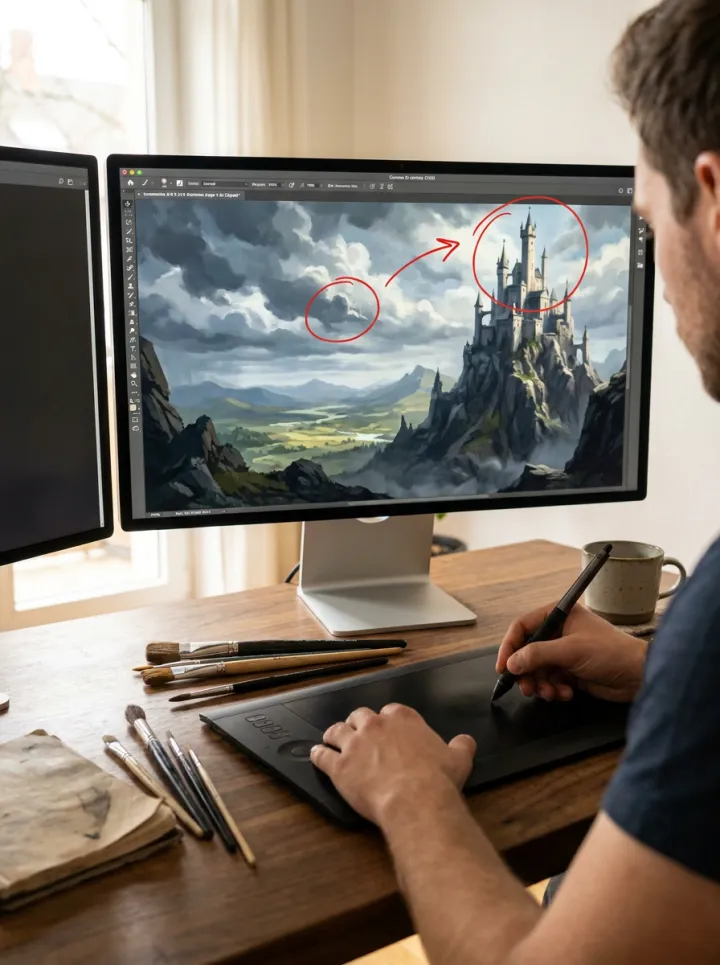
Concept artists
Redline a generation like you’d redline a sketch — circle the wrong hand, arrow the light, send.
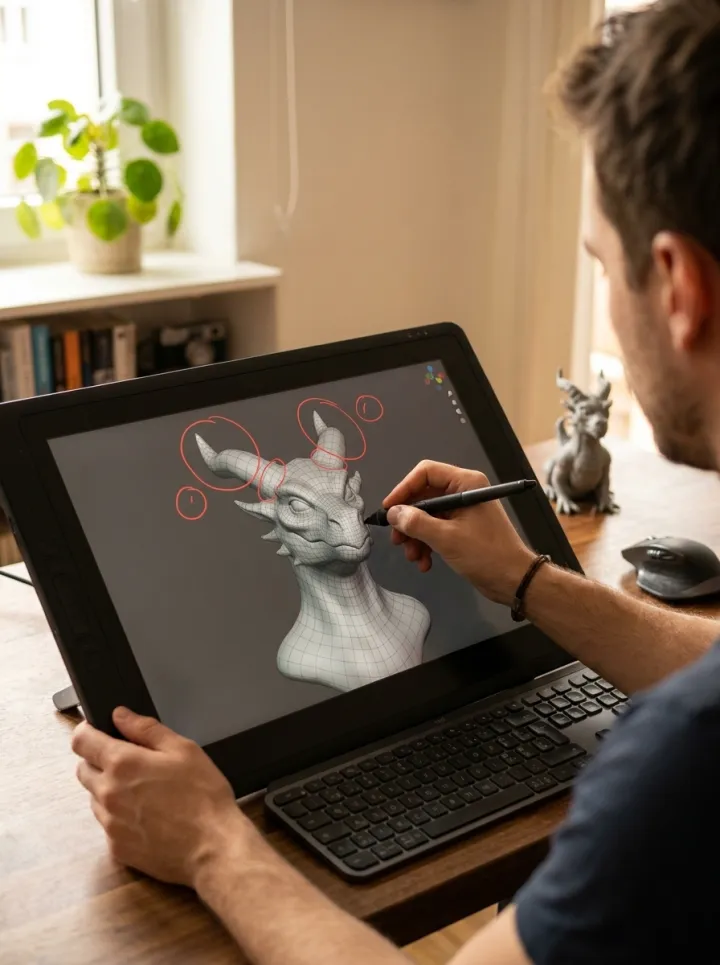
3D artists
Mark topology and sculpt notes right on the viewport, then drop the frame into the chat.

Architects
Sketch over plans and elevations — your markup lands in the conversation, not a scan folder.

Engineers
Callouts, tolerances, arrows on the blueprint — notated in real ink, delivered to your AI.

Product designers
Wireframe over a screenshot, arrow the flow, paste the thinking wherever it goes next.
This is what you get. Today.
Glass mode
Draw on the live screen by default — no freeze, no white page. Enter captures at that moment and auto-crops to your marks; ⇧⏎ sends the full screen; ⌘⏎ exports your ink alone on transparency. B toggles paper, R freezes.
The whole desk
Glass covers every display at once — laptop, external, Sidecar, whatever’s plugged in. Draw on any screen; Stylo sends the drawing to the app you were working in, even if it lives on another monitor. New control bar with real keycaps that gets out of your way once you’ve learned it.
Region select
Drag a box after the annotate hotkey; paste just that frame at full resolution. CleanShot-style dim, live pixel badge.
Text labels
Type or dictate captions onto any annotation. Launch at login. Eraser reaches labels.
The ink engine
Pressure changes the width. Speed thins the line. Tails taper like they left a real nib. Hold still and a wobbly circle snaps clean. Flip your Wacom pen over and it erases.
All of it in the free download, right now. And we ship weekly — a lifetime license includes every update we ever make.
Questions
Which Macs does it run on?
macOS 14 or later, Apple silicon and Intel. The whole app is under a megabyte — it will not be the thing slowing your Mac down.
Do I need a drawing tablet?
No — mouse and trackpad work fine. But if you own a Wacom or any direct-attached tablet, Stylo reads real pressure and the eraser flip, and that’s where it sings.
Which apps does it paste into?
Any app that accepts a pasted image: Claude, ChatGPT, Slack, Figma, Notion, Mail, Messages, Discord, Photoshop… If it takes a paste, it takes a drawing.
Where do my drawings go?
Onto your clipboard, into the app you’re using, and into a local folder — Pictures/Stylo. There is no account, no cloud, and no telemetry. Your ink never leaves your Mac unless you paste it somewhere.
What will it cost?
Your first 30 drawings are free — full features, no card, no account. After that it’s $19.99 once and Stylo is yours for life, updates included. Never a subscription for a pen.
Sketch it. Stylo sends it.
First 30 drawings free, full features, no card. One first-open step: macOS will ask —
System Settings › Privacy & Security › “Open Anyway.” Once, then never again.